
LitMaps#
Overview#
LitMaps is a free web-based tool that helps researchers discover literature through interactive citation network visualization. Instead of relying solely on keyword searches, LitMaps maps the connections between papers, making it easier to find influential works and trace research evolution.
Website: https://app.litmaps.com/
Key Features#
🗺️ Interactive Citation Maps: Visual network of paper relationships
🔍 Discovery Mode: Find papers connected to your seed papers
📊 Timeline View: See research evolution over time
🎯 Relevance Scoring: AI-powered paper importance ranking
📚 Export Options: BibTeX, RIS, CSV formats
🔄 Auto-Updates: Get notified of new related papers
👥 Collaboration: Share maps with team members
Getting Started#
1. Create an Account#
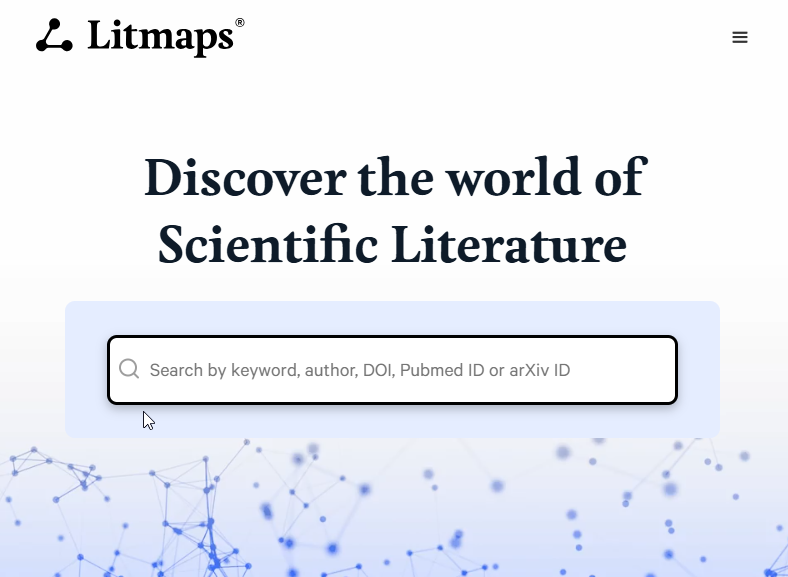
Visit https://app.litmaps.com/ and sign up for a free account using your email or Google account.
2. Start a New Map#
There are three ways to create a citation map:
Option A: Import from Reference Manager
Upload a BibTeX, RIS, or EndNote file
Great for starting from existing literature reviews
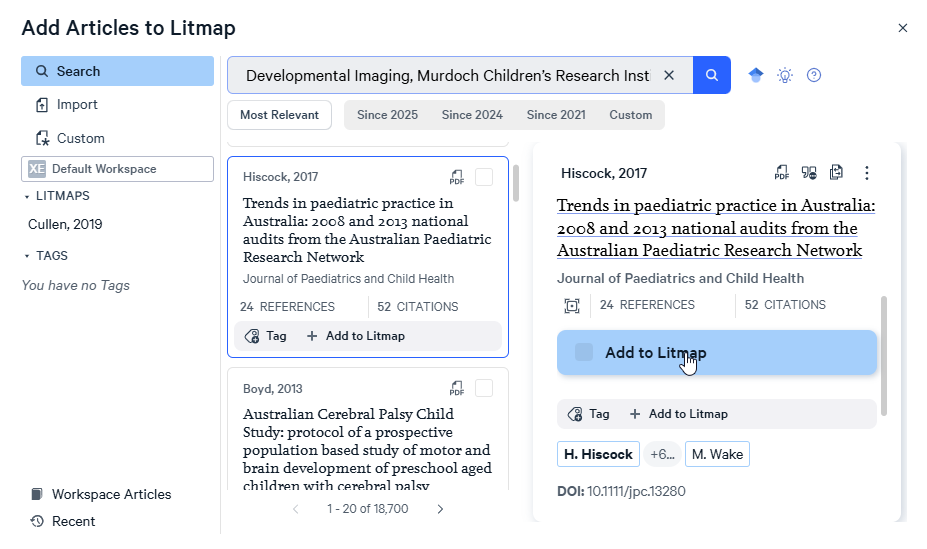
Option B: Search by DOI/Title
Enter DOIs or paper titles directly
Useful when you know specific key papers
Option C: Keyword Search
Search LitMaps database by keywords
Good for exploratory research
Basic Workflow#
Step 1: Add Seed Papers#
Start with 3-10 “seed papers” - key papers that represent your research area: (You can also simply use one paper to find related works - by citation or by similarity!)
Example
For a review on “transformers in NLP”, you might use:
“Attention Is All You Need” (Vaswani et al., 2017)
“BERT: Pre-training of Deep Bidirectional Transformers” (Devlin et al., 2019)
“GPT-3: Language Models are Few-Shot Learners” (Brown et al., 2020)
Step 2: Explore the Citation Network#
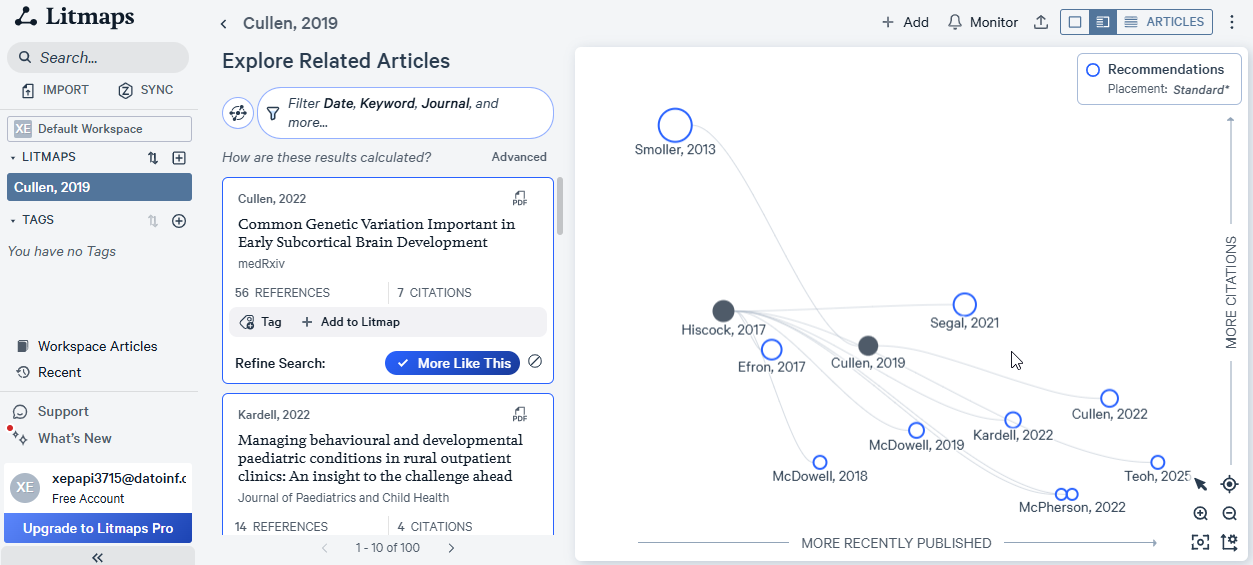
Once your seeds are loaded, LitMaps generates an interactive network showing:
Nodes: Individual papers (size = citation count)
Edges: Citation relationships (who cited whom)
Colors: Time periods or relevance scores
Clusters: Related research topics
Navigation Controls:
🖱️ Drag: Pan around the map
🔍 Scroll: Zoom in/out
🔘 Click: View paper details
🎯 Filter: Adjust date ranges and connections
Step 4: Filter and Organize#
Use LitMaps filters to refine your results:
Date Range: Focus on specific time periods
Citation Count: Filter by impact
Relevance Score: AI-ranked importance
Publication Type: Articles, reviews, preprints
Source: Specific journals or conferences
# Example: Exporting filtered results
# After filtering in LitMaps interface:
# 1. Select papers of interest
# 2. Click "Export" button
# 3. Choose format (BibTeX, RIS, CSV)
# 4. Download file
Step 5: Monitor for New Papers#
Get notified when new papers match your criteria:
Save your map with filters applied
Enable “Monitor for new papers”
Set notification frequency (daily/weekly)
Receive emails with new discoveries
Integration Workflow:
Get papers from Review Buddy - no extra code needed:
python main.py --skip-downloadalready writesresults/references.bib(all papers) andresults/references_filtered.bib(after filtering).Upload one of those files to LitMaps (manually, in the web interface).
Export the expanded set from LitMaps as BibTeX, e.g.
expanded_papers.bib.Merge and deduplicate with Review Buddy:
cat results/references.bib expanded_papers.bib > results/merged.bib
python 04_deduplicate_extra.py results/merged.bib
04_deduplicate_extra.pykeeps a timestamped backup and overwritesmerged.bibwith the deduplicated set. On Windows PowerShell, merge withGet-Content results/references.bib, expanded_papers.bib | Set-Content -Encoding utf8 results/merged.bib.
Tips & Best Practices#
Choosing Good Seed Papers#
✅ Do:
Use highly-cited papers in your area
Include recent papers (last 2-3 years)
Mix review papers with original research
Cover different aspects of your topic
❌ Don’t:
Use only very old papers (limited forward citations)
Choose papers too broad or too narrow
Start with more than 10-15 seeds (gets messy)
Effective Exploration#
Start Broad, Then Narrow
Begin with general seed papers
Use filters to progressively refine
Follow Citation Chains
Look 2-3 hops from seed papers
Both forward (who cites) and backward (what they cite)
Check Multiple Time Periods
Don’t ignore older foundational works
But also track latest developments
Use the Right View
Network view: Find connections
Timeline view: Track evolution
List view: Detailed filtering
Avoiding Common Pitfalls#
⚠️ Watch Out For:
Echo Chambers: Seed papers too similar → Limited discovery
Solution: Add diverse perspectives
Citation Bias: Highly-cited ≠ Always relevant
Solution: Check abstracts, don’t just trust metrics
Incomplete Networks: Some papers missing from database
Solution: Cross-reference with traditional searches
Time Lag: Recent papers may not have citations yet
Solution: Use keyword search for very recent work
Comparison: LitMaps vs Traditional Methods#
Aspect |
Traditional Search |
LitMaps |
|---|---|---|
Discovery |
Keyword-based |
Citation network |
Visualization |
Lists |
Interactive graph |
Completeness |
Easy to miss papers |
Follow citation trails |
Time |
Manual tracking |
Visual patterns |
Serendipity |
Low |
High (find unexpected connections) |
Learning Curve |
Low |
Moderate |
Integration with Your Workflow#
LitMaps works best as part of a multi-stage process:
        graph LR
    A["Database Search<br>Review Buddy"] --> B[Initial Paper Set]
    B --> C["LitMaps<br>Citation Discovery"]
    C --> D[Expanded Paper Set]
    D --> E[Screening & Selection]
    E --> F[Final Review Set]

    style A fill:#e3f2fd
    style C fill:#fff3e0
    style F fill:#e8f5e9
Initial Search: Use Review Buddy for systematic database queries
Citation Expansion: Import results into LitMaps to find related papers
Export: Download expanded set for screening
Validation: Check against consensus tools (see Consensus)
Limitations & Alternatives#
Limitations#
Database Coverage: May not include all niche journals
Recent Papers: Very new papers lack citation data
Manual Export: The workflow in this book moves files in and out of LitMaps by hand
Free Tier Limits: Limited maps and updates
Alternatives#
Connected Papers (https://www.connectedpapers.com/)
Similar visual approach, built from a single seed paper
Free plan with usage limits (check the current plans on their site)
Citation Gecko
Lightweight, seed-based citation explorer
Less sophisticated visualization
VOSviewer (desktop software)
More powerful analytics
Steeper learning curve
Good for large-scale bibliometrics
Resources#
🌐 Website: https://app.litmaps.com/
📺 Video Tutorials: LitMaps YouTube Channel
📚 Help Center: https://help.litmaps.com/
💬 Community: LitMaps on X
Next Tool
Continue to Consensus to learn about AI-powered consensus finding!